Sharp text in WebGPU: three ways to draw a thousand labels
· 3 min read · three.js, react-three-fiber, webgpu, typography, open-source
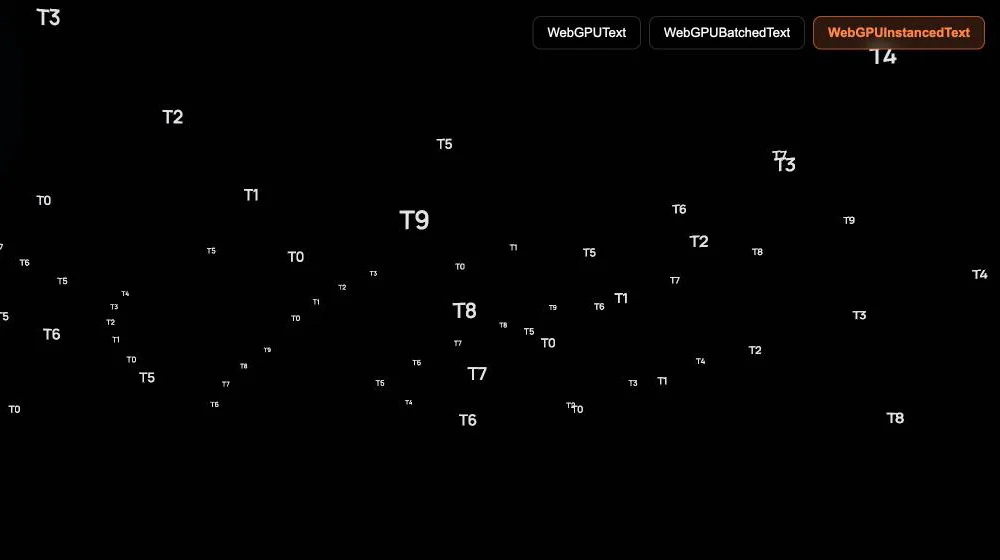
Text in a 3D scene is a surprisingly hard problem. A canvas texture goes blurry when you get close. Real 3D letters are heavy, and they are slow to build for every label. HTML over the canvas is sharp, but it does not live in the scene: it ignores depth, it is not occluded and it does not scale with the camera.
r3f-webgpu-text is a small package for React Three Fiber that draws text with MSDF, in WebGPU, with an API similar to drei's <Text />. It is on npm under the MIT license, and this post is about the one decision that matters when you use it: how many draw calls your labels cost.
What MSDF is, in one paragraph #
An MSDF font atlas does not store the letters as pixels. Each texel stores the distance to the edge of the glyph, in three channels, and the fragment shader rebuilds the outline from it. A small texture, 512 by 512, gives sharp edges and sharp corners at almost any size, and the text is just a textured plane, so it is cheap and it lives in the scene like any other mesh. You need a font in two files, a BMFont JSON with the metrics and a PNG atlas, and a tool like msdf-bmfont-xml makes them from a .ttf.
The package uses MSDFTextNodeMaterial from three-msdf-text-utils, which is a TSL material for the WebGPU renderer.
Using it #
<WebGPUText
  position={[0, 1, 0]}
  fontSize={0.5}
  color="#ffffff"
  fontData="/fonts/MyFont-msdf.json"
  fontAtlas="/fonts/MyFont.png"
>
  Hello WebGPU
</WebGPUText>
The props follow drei: fontSize, anchorX, anchorY, maxWidth, lineHeight, letterSpacing. A cache shares the loaded font between components, so ten labels do not fetch the font ten times.
Three components for three cases #
The cost of text is not in the letters but in the number of draw calls, so the package offers three components, from simplest to most batched:
| Component | What it draws | Draw calls | Use it for |
|---|---|---|---|
WebGPUText |
one mesh per label | 1 per label | up to 20 labels, titles, interactive labels |
WebGPUBatchedText |
identical strings grouped in an InstancedMesh |
1 per unique string | many labels that repeat, with the same style |
WebGPUInstancedText |
one InstancedMesh per character |
about 1 per unique character | hundreds or thousands of different labels |
The third one is the interesting one. Instead of one mesh per label, it keeps one InstancedMesh for the letter A, one for B, and so on, and every label is a set of instances of those letters, each with its own matrix. A map with 2,000 labels uses the same ~70 draw calls as one with 20, because there are only so many different characters. The default charset covers letters, digits and the usual punctuation, and lookAtCamera turns the labels into billboards.
The price is that the layout is computed per label on the CPU when the list of texts changes, and a character outside the charset is dropped.
Which one to pick #
- A handful of labels you edit and style individually:
WebGPUText. - The same words repeated, such as the name of a type of object:
WebGPUBatchedText. - A cloud of labels, such as a map, a data visualization or a debug overlay:
WebGPUInstancedText.
The package also recommends serving the font from your own domain, and not from a remote URL, in production.
The demo is at r3f-webgpu-text.vercel.app and needs a browser with WebGPU. The project page here has a video.
Related projects
- r3f-webgpu-text — MSDF WebGPU text for React Three Fiber