Graveyard Pinball: simulated in 2D, rendered in 3D
· 4 min read · game-dev, three.js, webgpu, physics, tsl
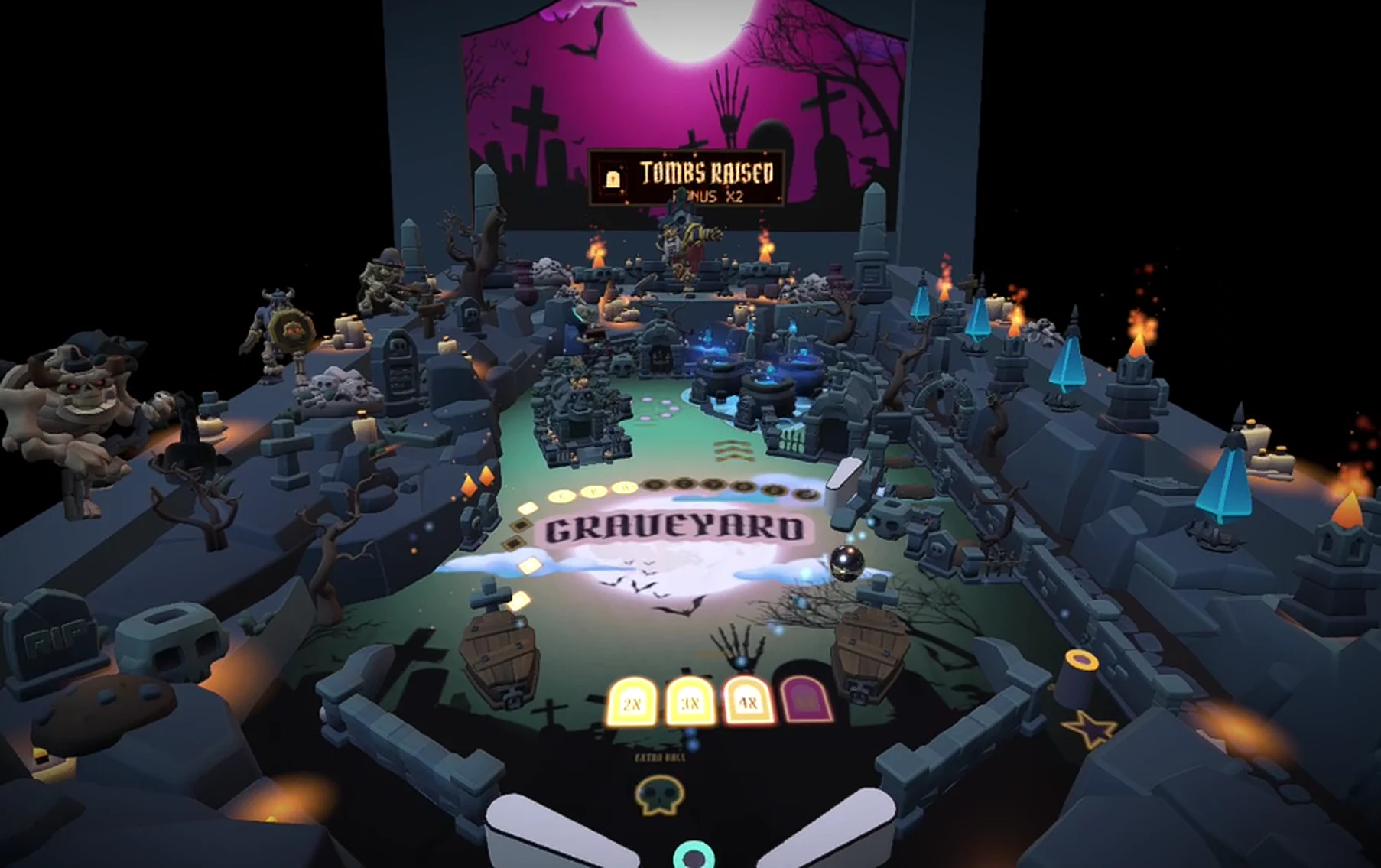
Graveyard Pinball is a free 3D pinball game for Halloween that runs in the browser, on desktop and on phones. The table is a haunted crypt: a skull portal, three bubbling cauldrons, tombstone banks, a skeleton mage who casts spells and a moon-lit backglass, with an amber dot-matrix display that keeps the score and ranks your initials.
It is built with Three.js, React Three Fiber, WebGPU and TSL. The 3D model of the table started in January 2023, as a Blender file and a cemetery asset pack, and the game itself came together in early October 2026.
The thing that decided whether it felt like pinball was not the graphics. It was whether the ball did what a ball should.
The ball that went through walls #
The first prototype used a 3D physics engine and lost balls through the walls. I measured the causes on the real model:
| Cause in the 3D prototype | Effect |
|---|---|
| CCD was set on the fixed wall body, where it does nothing, and commented out on the ball | the ball tunnelled through walls from about 8 units per second |
| An old physics engine version at 60 Hz steps | a thin wall was tunnelled at 8 u/s without CCD |
| The walls were zero-thickness sheets, only 0.102 tall, for a ball 0.110 wide | in 3D, the ball could pop up and hop over a wall |
| Flippers were moved once per rendered frame | flipper strength was 1× at 60 Hz, 2× at 75 to 165 Hz and 3× at 240 Hz, and 4 to 10% of balls went through a flipper |
The last row is the one I would not have guessed: the same game played differently on a 144 Hz monitor.
The fix was to stop simulating in 3D. The ball, the walls, the bumpers and the flippers live in a top-down 2D world (Rapier2D), and Three.js only draws it. Shopify described the same technique for their 2025 pinball. In 2D, "a ball hopping over a wall" simply cannot happen.
The same game on every screen #
The simulation runs in fixed steps of 1/240 s, whatever the display rate. Each frame the game accumulates the elapsed time, runs as many steps as fit, and the renderer interpolates between the last two states. The input is sampled per frame and applied at every sub-step, and flippers advance per sub-step.
The result: the game plays identically at 30, 60, 144 or 240 Hz, and a test checks the flipper at eight refresh rates. A frame that takes too long is clamped, so a hiccup never causes a spiral of catch-up steps.
With this setup, the same test shots give zero wall leaks up to 30 units per second and zero balls inside a flipper.
Tuning a table with a bot #
A pinball table can be unfair in ways that are hard to see: corridors too narrow for the ball, shots no flipper can aim at, pockets where a ball rests forever. So I measured it.
A bot with human-like sloppiness plays hundreds of balls, and the tool reports the percentage of balls that reach each zone of the table, plus a heat map. Another tool draws the fan of shots each flipper can make. A third measures the width of every corridor in ball diameters.
On the first version, 2 dead-end pockets trapped balls and some shots were nearly unreachable. After widening corridors, rounding sharp corners and removing a V-shaped cup, with 400 bot balls and the same seed:
| Balls that reach... | Before | After |
|---|---|---|
| left orbit | 16% | 32% |
| top arch | 7% | 30% |
| right diagonal channel | 5% | 26% |
| right inlane | 12% | 22% |
| dead-end pockets | 2 | 0 |
The rules of thumb that came out of it: keep every corridor the ball must use at 1.5 diameters or more, a lane mouth at 1.7 or more, and avoid flat horizontal ledges.
These tweaks are applied by a script after the table is extracted from the 3D model, so they survive a re-export of the model.
Rules are events #
The simulation knows nothing about score. It only emits events: a ball entered the portal, a ball was locked, the mage was hit. A separate layer turns those into rules.
- The skull portal swallows a ball that goes up into its mouth, holds it for a couple of seconds and spits it out above the cauldrons, with cauldron hits worth double for a while.
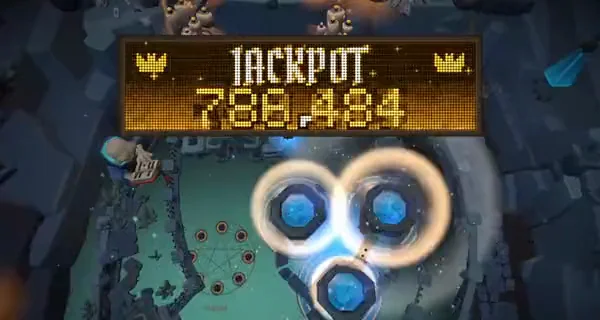
- The crypt saucer locks balls. A third locked ball starts the multiball: three balls out in a fan, everything scored times three, and the jackpot paid by every set of the three cauldrons.
- The skeleton mage reacts when a ball rises through one of two doorways, and the camera cuts to a close-up while the table drops to 12% speed, easing back as the camera returns. The ball keeps its momentum, so it is where the player expects when the view comes back.
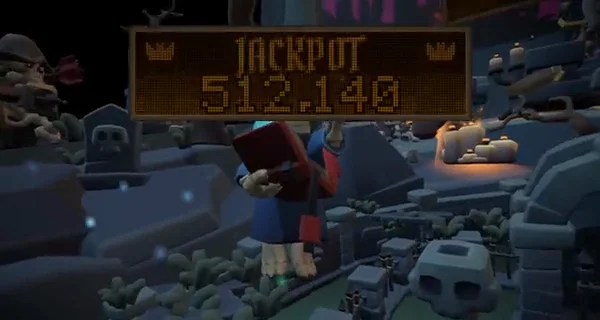
The display is a 128 × 32 amber plasma-style dot matrix: one 4 KB texture, one draw call, no lights and no extra render passes, with a color palette per scene (amber for the game, violet for multiball, gold for the jackpot). It looks like an expensive effect and costs almost nothing.
On a phone #
On a touch screen, the left half of the screen is the left flipper and the right half is the right one, with both hands working at once. The game starts at medium quality, without post-processing, and an adaptive pixel ratio steps the resolution down when the frame rate stays under 50 for two seconds, and back up when there is room.
Play it #
Graveyard Pinball is free at graveyard-pinball.vercel.app, and the project page here has the video: Graveyard Pinball.
The lesson I take from it: when the problem is "the game feels wrong", put a number on it before touching anything.
Related projects
- Graveyard Pinball — Free Halloween game